
Skip to content
English - United Kingdom
  • There are no suggestions because the search field is empty.

How to order a biology exam (and course)

A Star Equivalency


1. Click on Biology
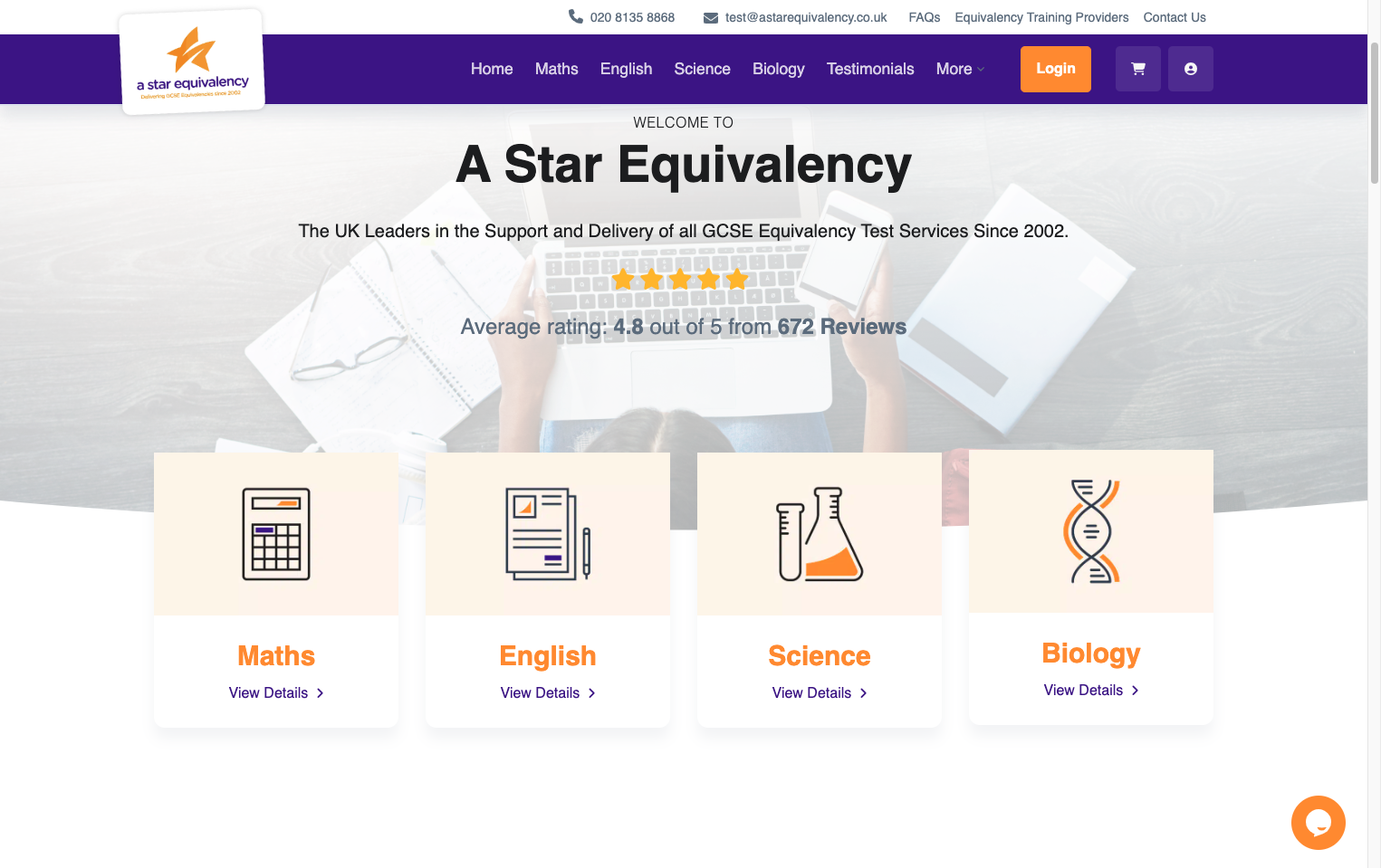
Click on Biology

2. Select 'Choose Date Now' or 'Book Now, Choose Date Later'
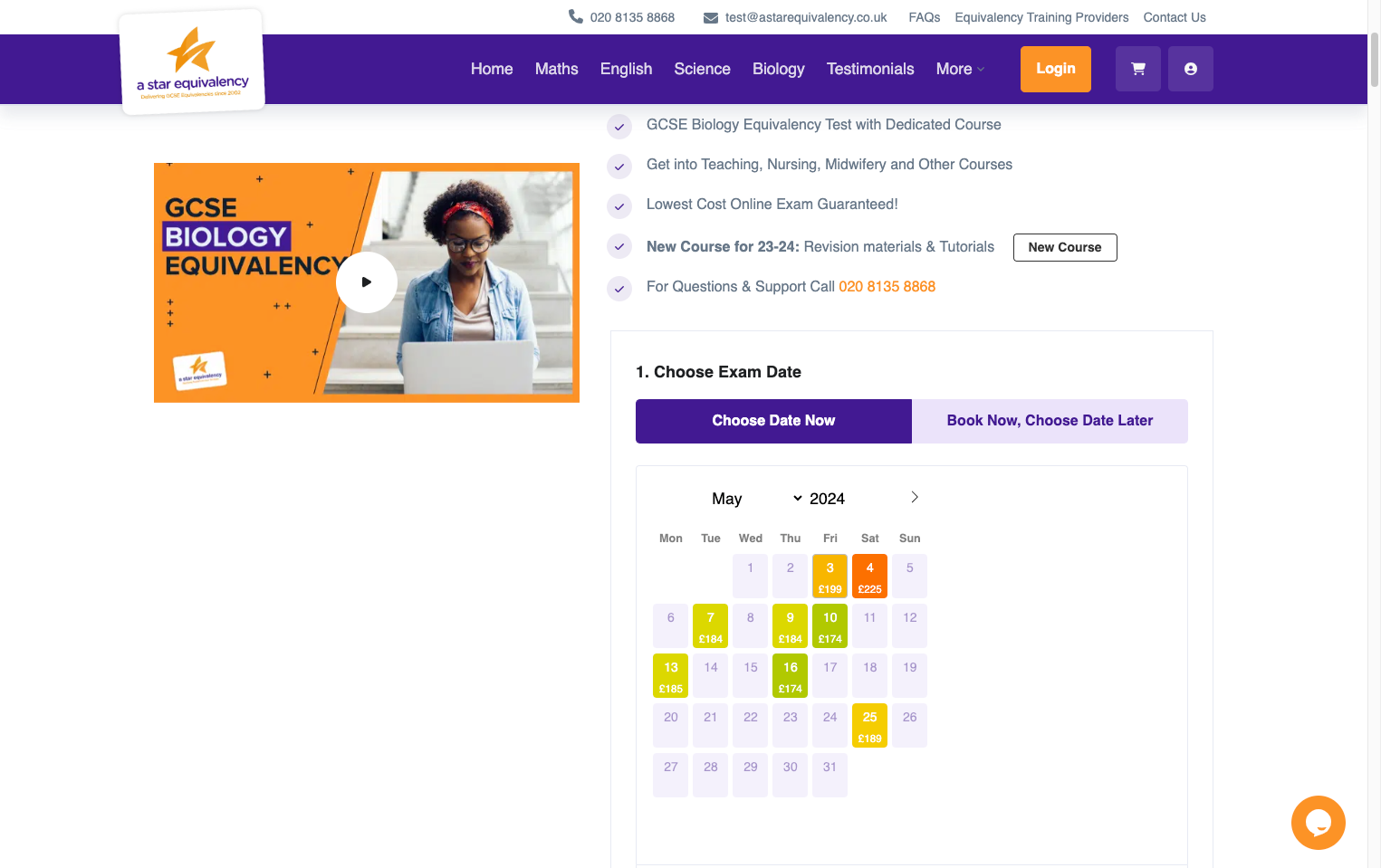
Select 'Choose Date Now' or 'Book Now, Choose Date Later'

3. If you selected 'Choose Date Now', then pick the date you would like to sit your exam on.
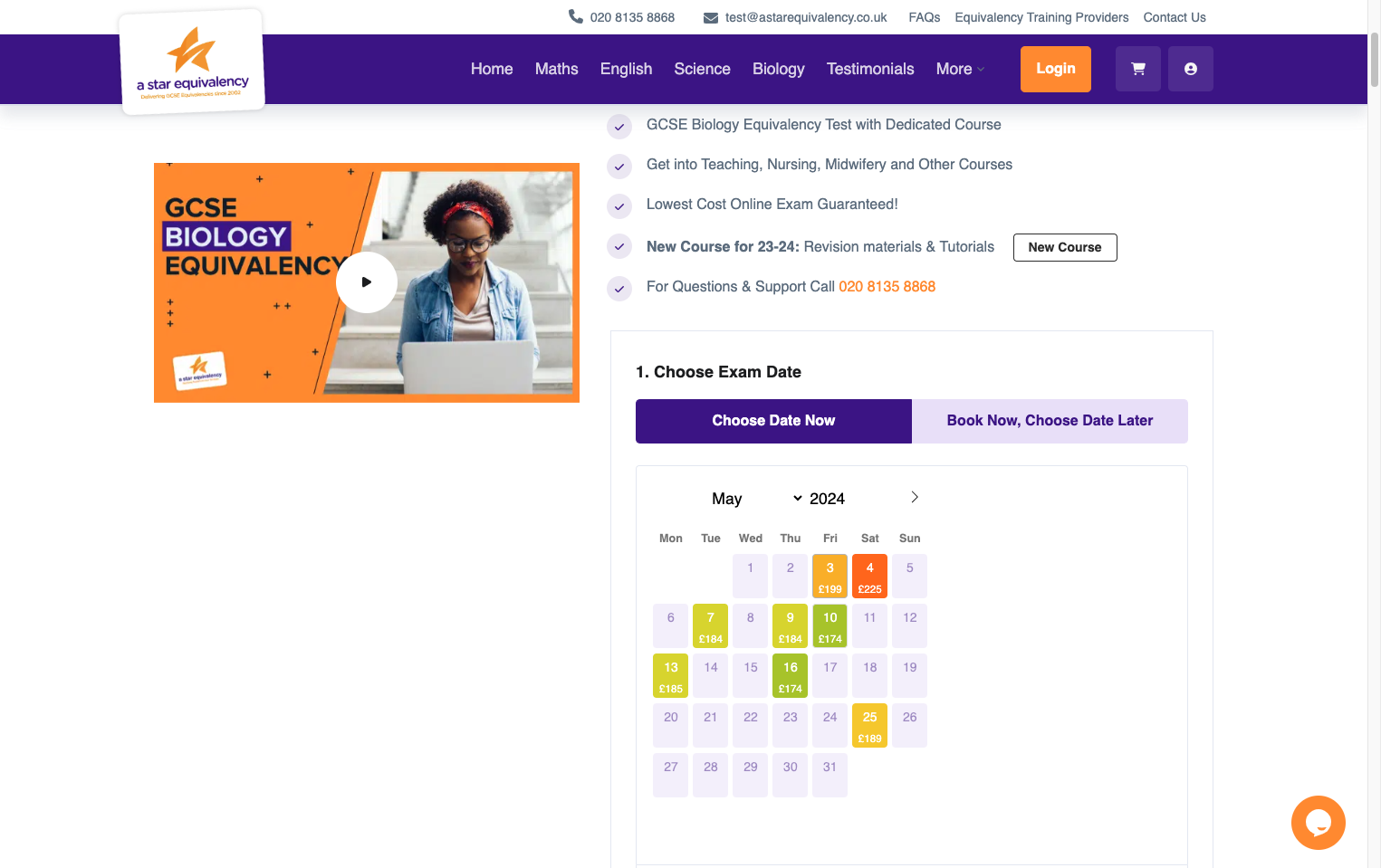
If you selected 'Choose Date Now', then pick the date you would like to sit your exam on.

4. Select the time.
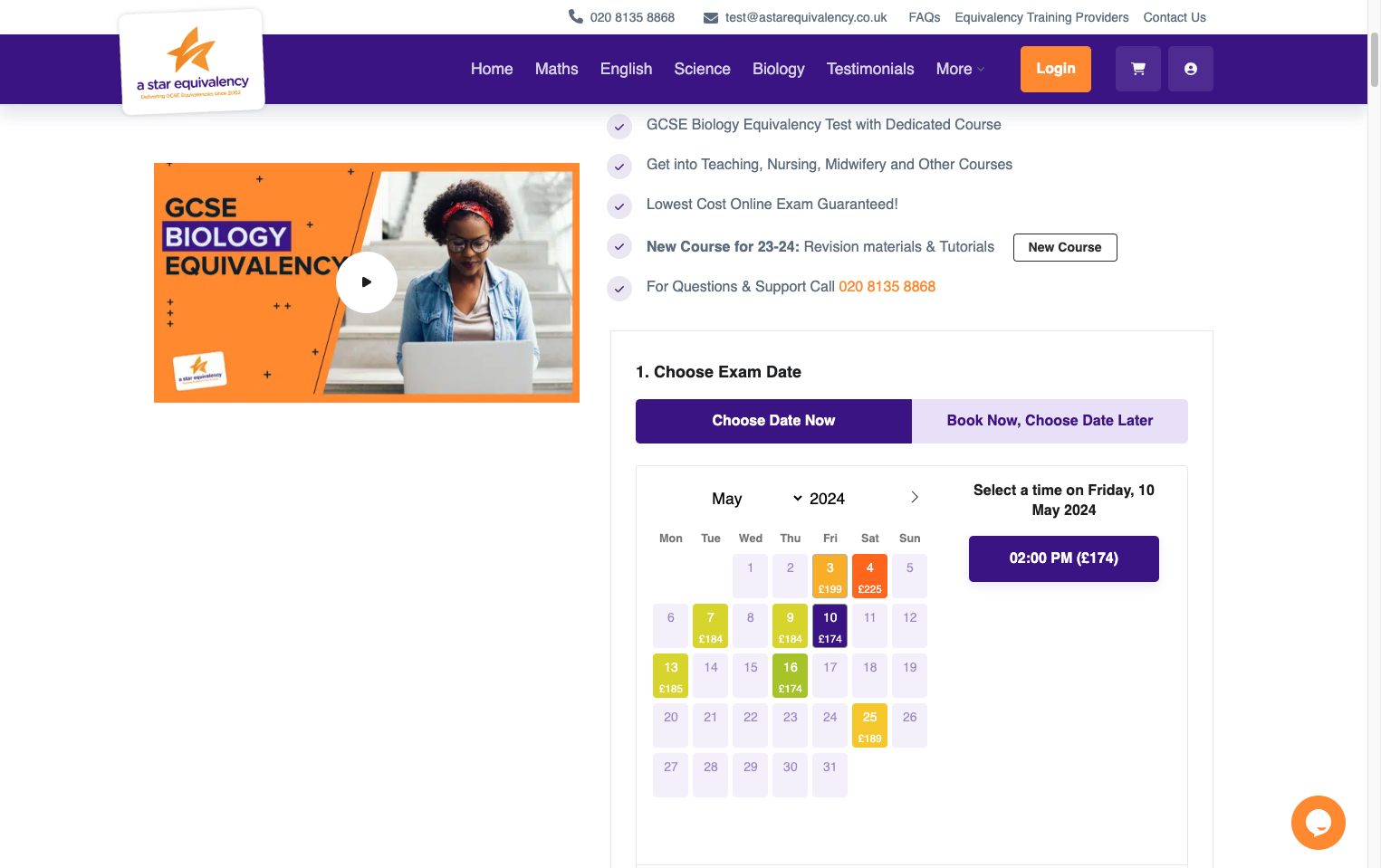
Select the time.

5. Select whether you would like the course or just the exam.
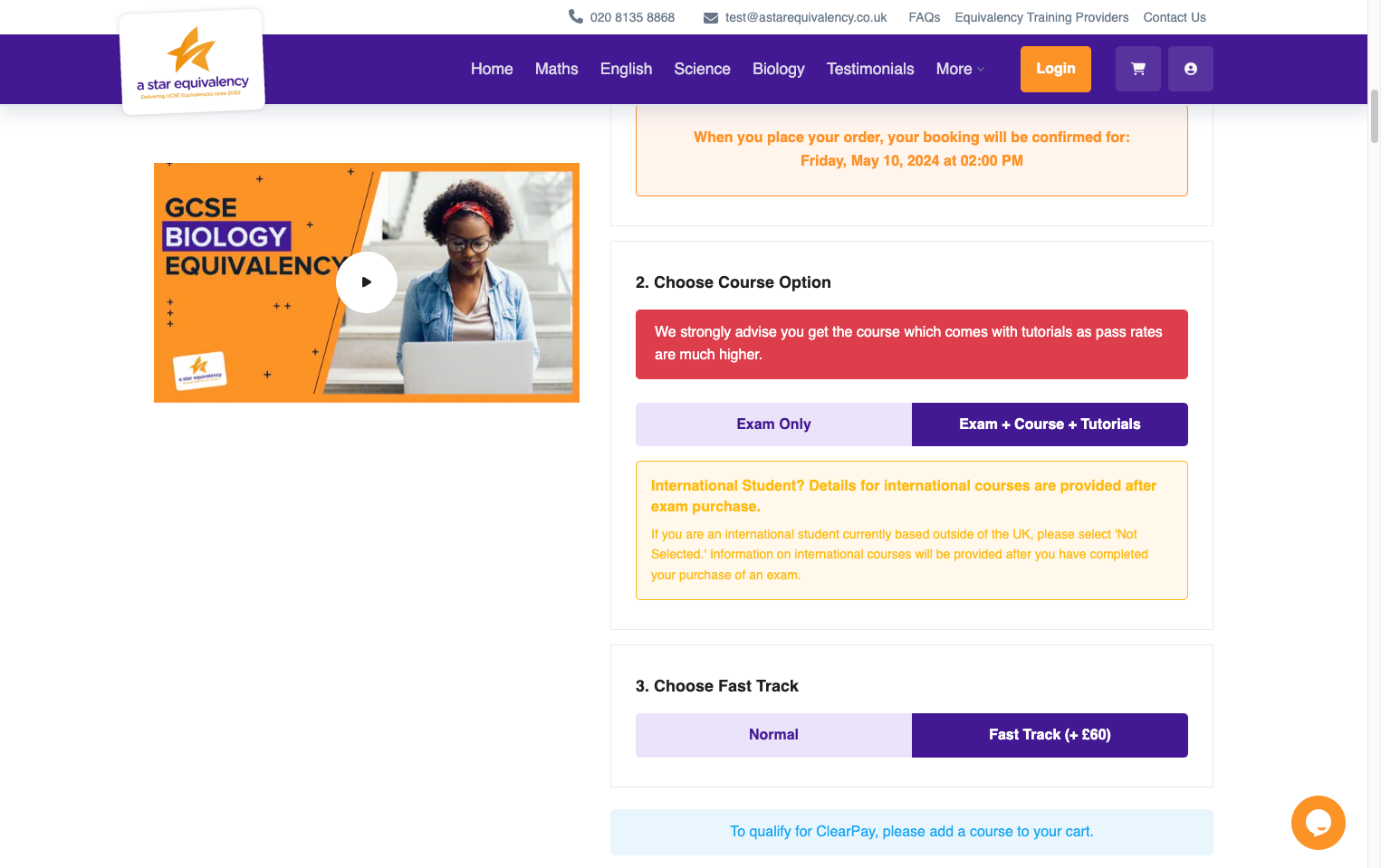
Select whether you would like the course or just the exam.

6. You can add fast track marking here.
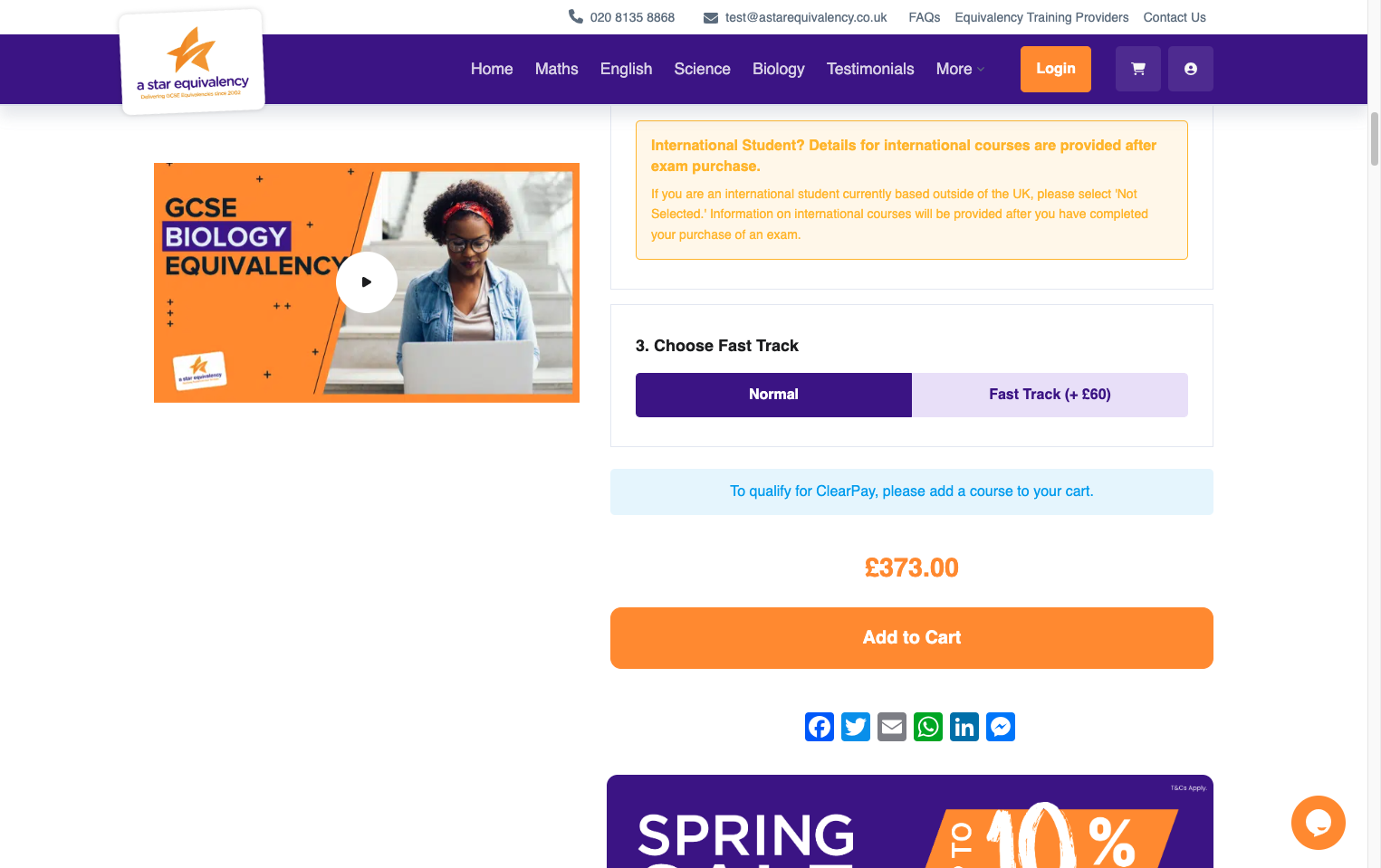
You can add fast track marking here.

7. Click 'Add to Cart'
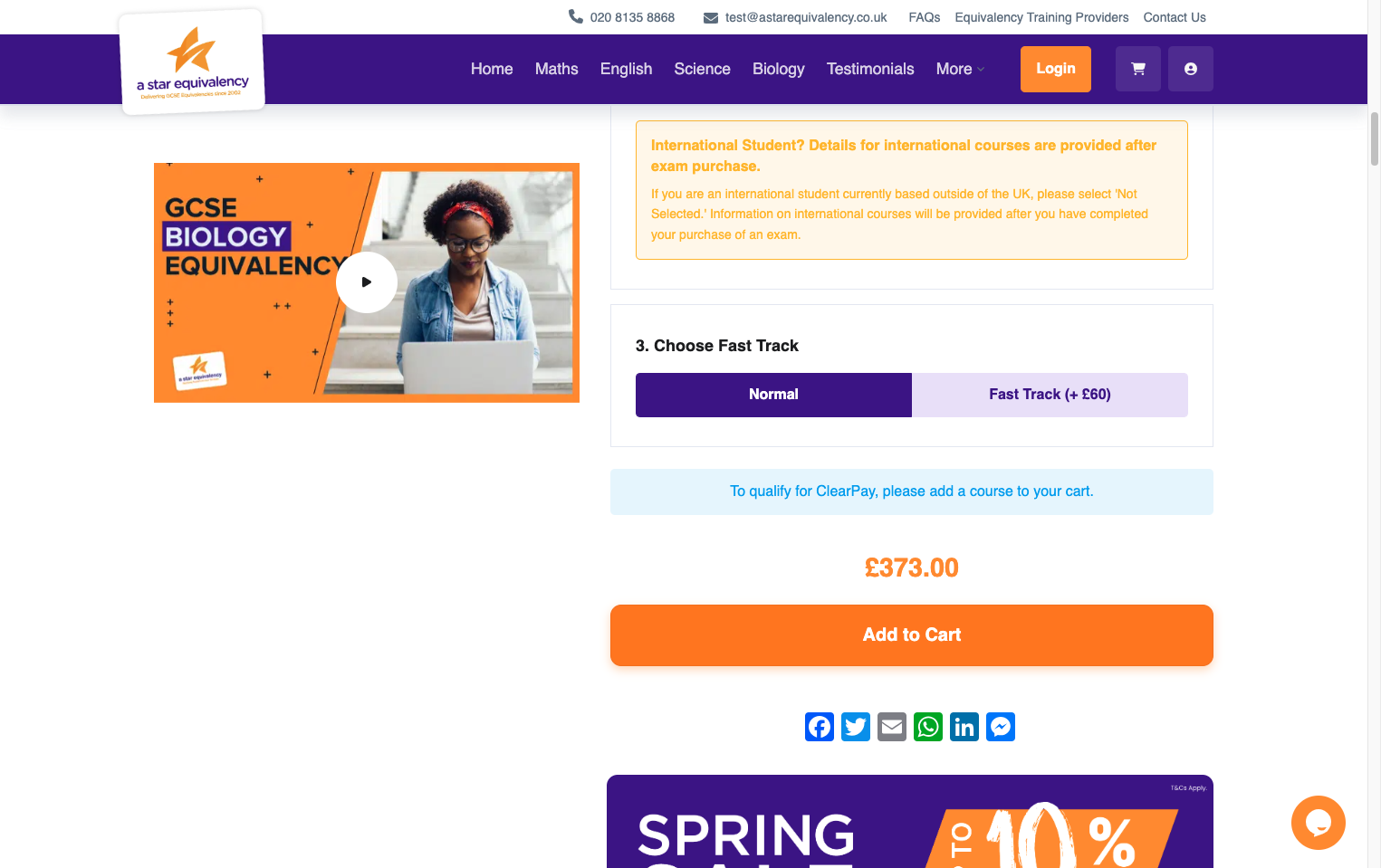
Click 'Add to Cart'

8. Click 'Proceed to checkout'
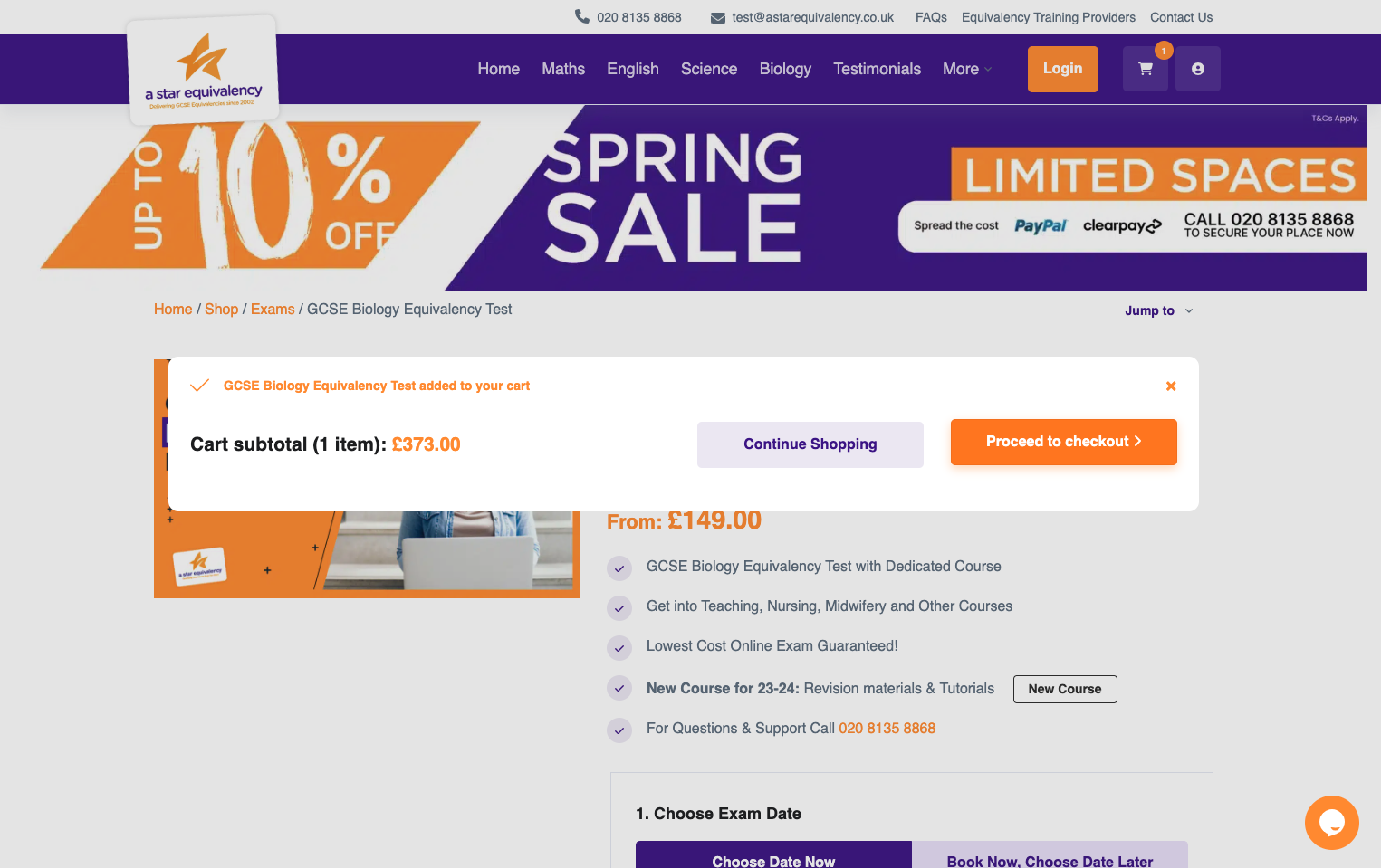
Click 'Proceed to checkout'

9. Check that all details here are correct and then click 'Checkout Securely'
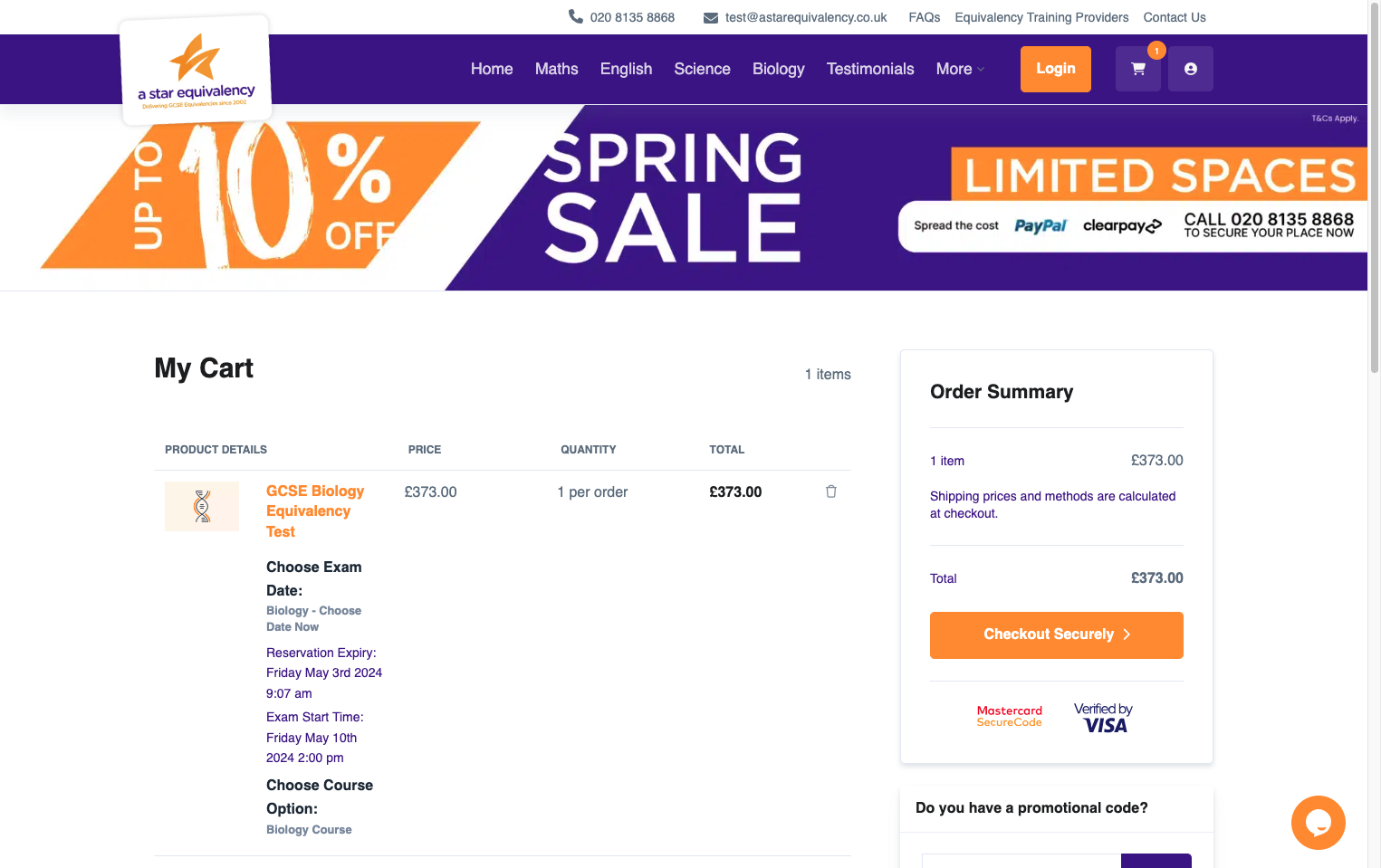
Check that all details here are correct and then click 'Checkout Securely'